
Table of Contents
The Case Manager's Challenge
Put This Into Practice
CareCade makes it easy to implement best practices for home care management.
You're a case manager in Washington State with 47 clients. Each client may have:
- Different home care providers
- Multiple service types
- Various schedules
- Unique care plans
To verify services are happening, you used to call each agency. Play phone tag. Wait for callbacks. Dig through faxed reports.
There has to be a better way.
What Is a Case Manager Dashboard?
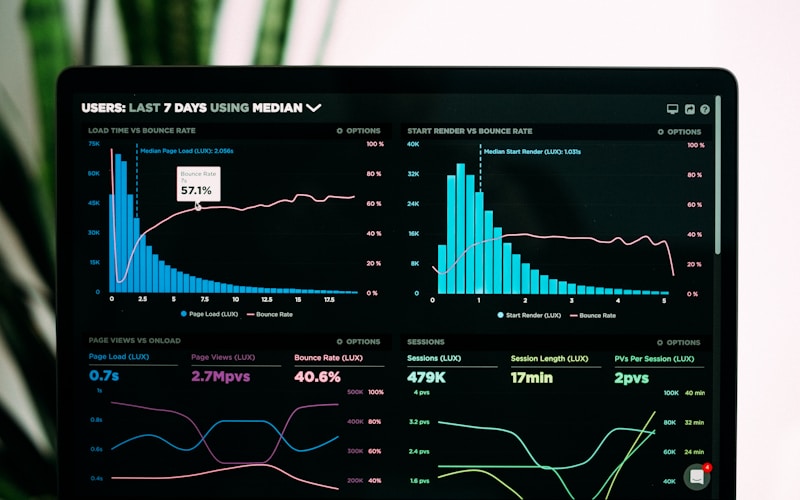
A case manager dashboard is a single view where you can see all your clients across multiple agencies—without making a single phone call.
In one place, you can:
- See which visits happened today
- Check service hours against authorizations
- Review incident reports
- Spot patterns or concerns
- Verify compliance with care plans
It's like having x-ray vision into every agency serving your clients.
What You Can See in a Dashboard
Visit Verification
For each client, see:
- Scheduled appointments
- Completed visits with GPS verification
- Missed or cancelled appointments
- Service hours logged
Authorization Tracking
- Units used vs. authorized
- Approaching limits
- Remaining service hours
- Renewal dates
Incident Reports
- Recent incidents flagged for your attention
- Severity and status
- Agency response and resolution
- Patterns across time
Service Summary
- Hours by service type
- Caregiver consistency
- Visit completion rates
- Documentation status
How Dashboards Save Time
Before Dashboards
To check on 10 clients:
- Call 10 agencies (15 minutes x 10 = 2.5 hours)
- Wait for callbacks
- Request documentation
- Wait for faxes or emails
- Review manually
- Follow up on gaps
Total time: 4+ hours for incomplete information
With Dashboards
To check on 10 clients:
- Open dashboard (30 seconds)
- Review visit status for all 10 (5 minutes)
- Drill into any concerns (5 minutes)
- Document your review (5 minutes)
Total time: 15 minutes for complete information
That's hours back every week for actual case management.
Key Features for Case Managers
Exception-Based Monitoring
You can't review every visit for 47 clients. Dashboards highlight exceptions:
- Visits that didn't happen as scheduled
- Incidents flagged for case manager review
- Authorization limits approaching
- Unusual patterns
Focus on what needs attention, not everything.
Cross-Agency Views
Your clients use different agencies. A good dashboard shows them all:
- Unified view regardless of provider
- Consistent data format
- Side-by-side comparisons
- No agency can hide information
Historical Data
See patterns over time:
- Service consistency month-over-month
- Incident trends
- Caregiver stability
- Goal progress
Read-Only Access
Case managers typically have read-only access:
- You can see everything
- You can't accidentally change anything
- Agencies maintain their records
- Your oversight is documented
Working With Agencies
Dashboards change the dynamic with agencies:
Less Chasing
You have the information. You don't need to ask for it.
Better Conversations
When you do call, it's focused: "I see Sarah missed three visits last month. What's happening?"
Faster Resolution
Issues surface immediately, not weeks later.
Mutual Accountability
Agencies know you can see everything. Transparency raises the bar.
What About Agencies Not on the Platform?
Some clients may have agencies that don't use shared platforms. For these:
- Continue traditional verification methods
- Note the gap in your dashboard
- Encourage agencies to modernize
- Document the difference in oversight capability
As more agencies adopt transparent systems, your coverage improves.
Privacy and Compliance
Case manager dashboards are designed with HIPAA in mind:
Need-to-Know Access
You only see clients assigned to you.
Audit Trails
Every time you view data, it's logged.
Secure Connection
Encryption protects data in transit.
Role-Based Permissions
You see what case managers need—no more, no less.
How to Access the Case Manager Dashboard
You don't register yourself. Home care providers add you as a case manager for specific clients in their system. Here's how it works:
Step 1: Agencies Add You
Ask the agencies serving your clients to add your email address as a case manager in CareCade. They'll link you to specific clients in your caseload.
Step 2: Go to Login
Once added, visit carecade.org/login and enter your email address.
Step 3: Access Your Workspaces
If your email is associated with agencies using CareCade, you'll receive a secure login link—no password needed.
If you work with one agency: You'll go directly to that agency's dashboard showing your assigned clients.
If you work with multiple agencies: You'll see a workspace switcher letting you move between agencies. Each workspace shows only the clients assigned to you at that agency.
What You'll See
Your case manager dashboard shows:
- All clients assigned to you at that agency
- Recent visits with verification status
- Incident reports flagged for your attention
- Authorization usage and remaining hours
- Service completion rates
That's it. No registration, no passwords. Enter your email and access client information across all agencies that have added you.
Don't Have Access Yet?
Contact the agencies serving your clients and ask them to:
- Add your email as a case manager in CareCade
- Link you to the specific clients in your caseload
Once they do, you can log in immediately. Most providers offer case manager access at no cost—because transparency benefits everyone.
Questions to Ask Agencies
When evaluating agencies or encouraging transparency:
- Do you offer case manager dashboard access?
- What information can I see?
- How quickly are visits updated?
- Can I see incident reports?
- Is there a cost?
- How do I get access?
Agencies committed to transparency will welcome these questions.
The Future of Case Management
Technology is transforming case management:
Today
- Real-time visit verification
- Instant incident notification
- Automated authorization tracking
- Unified multi-agency views
Coming Soon
- AI-identified patterns and risks
- Predictive alerts
- Automated compliance reporting
- Enhanced outcome tracking
The case managers who thrive will use these tools to extend their reach without burnout.
Being There for Every Client
You can't visit 47 clients every week. But with the right tools, you can:
- Know what's happening with each one
- Catch problems early
- Intervene when needed
- Document your oversight
- Focus time where it matters most
That's what technology should do: help you be there for everyone.