Table of Contents
Understanding EVV Software Options in 2026
Put This Into Practice
CareCade makes it easy to implement best practices for home care management.
Electronic Visit Verification (EVV) is federally mandated for Medicaid-funded personal care and home health services. But not all EVV solutions are equal—understanding your options helps you choose the right fit.
This guide compares EVV verification methods, platforms, and what to consider for your provider.
What EVV Must Capture
The 21st Century Cures Act requires EVV to document:
- Date of service delivery
- Time - Start and end of visit
- Location of service delivery
- Individual receiving services
- Caregiver providing services
- Type of service provided
How you capture this data varies by EVV method.
EVV Verification Methods
GPS-Based EVV
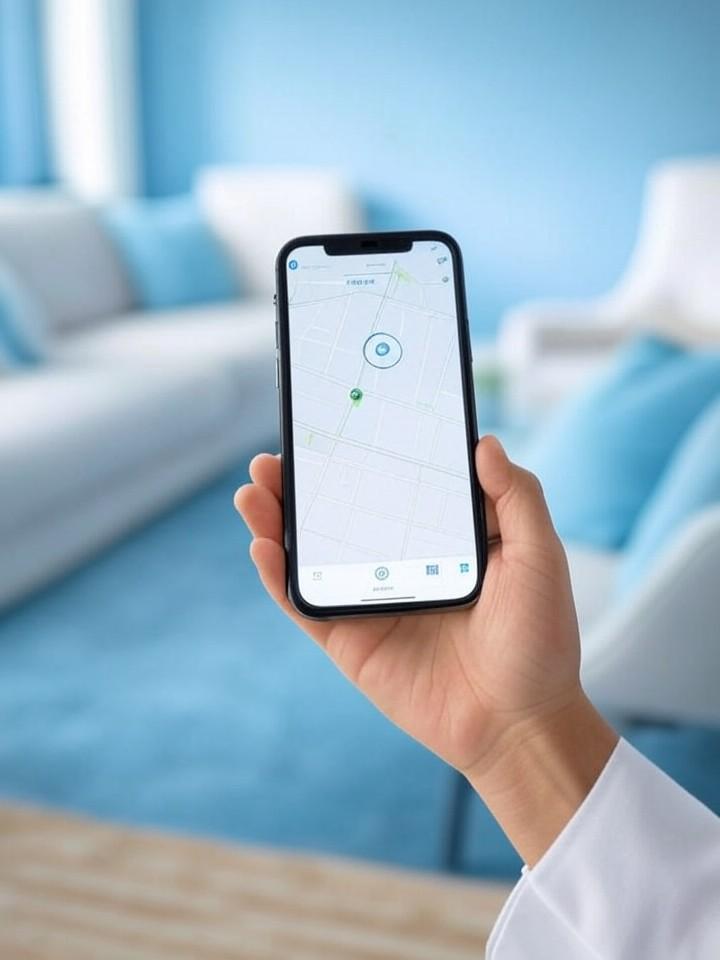
How it works: Caregiver uses a smartphone app that captures GPS coordinates at clock-in and clock-out.
Pros:
- Accurate location verification
- Real-time monitoring possible
- No special hardware needed
- Works anywhere with cell signal
Cons:
- Requires smartphone
- GPS can be spotty indoors
- Battery drain concerns
Best for: Agencies with smartphone-equipped caregivers
Telephony-Based EVV
How it works: Caregiver calls a toll-free number from the client's landline phone to clock in/out. Caller ID verifies location.
Pros:
- Works without smartphones
- No training needed
- Reliable for rural areas
Cons:
- Requires client landline (declining)
- No real-time location data
- Can't work if client not home
Best for: Agencies with caregivers who lack smartphones
Biometric EVV
How it works: GPS verification plus biometric confirmation (Face ID, fingerprint) that the correct caregiver is present.
Pros:
- Prevents buddy punching
- Strongest identity verification
- Meets strictest requirements
Cons:
- Requires smartphone with biometrics
- Slightly longer clock-in process
Best for: Agencies wanting maximum verification
Fixed Object Verification (FOB)
How it works: Caregiver scans a QR code or NFC tag physically located at the client's home.
Pros:
- Simple verification
- Works without GPS
- Physical presence required
Cons:
- Hardware placement needed
- Can be removed or damaged
- Doesn't verify caregiver identity
Best for: Supplement to other methods
EVV Verification Comparison
| Method | Location Accuracy | Identity Verification | Hardware Needed | Best For |
|---|---|---|---|---|
| GPS | High | Low (just login) | Smartphone | Most providers |
| Telephony | Medium (landline) | Low | Client landline | Non-smartphone caregivers |
| Biometric | High + identity | High (face/fingerprint) | Smartphone with biometrics | Maximum security |
| FOB/QR | Medium | Low | Physical tags | Supplement |
Top EVV Software Platforms
CareCade EVV
Method: GPS + Biometric
Overview: Modern EVV built into a complete home care platform. GPS captures location; biometric (Face ID, fingerprint) confirms caregiver identity.
Strengths:
- Dual verification (GPS + biometric)
- Real-time monitoring dashboard
- Offline clock-in support
- "On My Way" family notifications
- ProviderOne export (Washington)
Pricing: Included in $300-550/month platform
Learn more about CareCade EVV →
Sandata EVV
Method: GPS, Telephony, FOB options
Overview: Established EVV provider with broad state compliance. Often serves as aggregator integration layer.
Strengths:
- Multiple verification options
- Extensive state compliance
- Long track record
Considerations:
- Interface dated
- EVV-focused (less comprehensive)
- Pricing varies
HHAeXchange EVV
Method: GPS, Telephony
Overview: Enterprise platform with EVV built into comprehensive agency management.
Strengths:
- Full agency platform
- MCO integrations
- Enterprise scale
Considerations:
- Enterprise pricing
- Complex implementation
- May be excessive for smaller agencies
Therap EVV Module
Method: GPS
Overview: EVV module within Therap's comprehensive IDD software suite.
Strengths:
- Integrates with Therap documentation
- State compliance
- IDD-focused
Considerations:
- Separate module pricing
- Requires Therap platform
- Interface learning curve
CareSmartz360 EVV
Method: GPS, Telephony
Overview: EVV within full-featured home care platform.
Strengths:
- Comprehensive platform
- Multiple verification options
- Private pay and Medicaid
Considerations:
- Per-caregiver pricing
- Feature complexity
State Compliance Considerations
Open vs. Closed Model States
Open Model: State allows providers to choose their EVV vendor (must meet state requirements)
- Example: Washington (mostly open)
Closed Model: State mandates a specific EVV system
- Example: Some states require specific aggregators
Aggregator Requirements
Many states use EVV aggregators that collect data from various provider systems. Your EVV must either:
- Direct integration with state aggregator
- Export data in required format
- Use the mandated aggregator system
Always confirm your software meets your specific state's aggregator requirements.
Washington State EVV
Washington uses an open model with ProviderOne integration. Requirements:
- GPS or telephony verification
- Six required data points
- Export to ProviderOne for billing
CareCade is built for Washington compliance with native ProviderOne export.
Preventing EVV Fraud
EVV exists to prevent billing fraud. Common issues and how different methods address them:
| Issue | GPS | Telephony | Biometric | FOB |
|---|---|---|---|---|
| Wrong location | Catches | Catches (landline) | Catches | Catches |
| Buddy punching | Misses | Misses | Catches | Misses |
| Time falsification | Catches | Catches | Catches | Catches |
| No-show billing | Catches | Catches | Catches | Catches |
Biometric EVV provides the strongest protection against identity-based fraud.
Choosing EVV Software
Questions to Ask
- Does it meet your state's requirements?
- What verification methods are available?
- How does it integrate with billing?
- What's the caregiver experience like?
- Does it work offline/in poor connectivity?
- What reporting and monitoring is available?
Decision Framework
If your caregivers have smartphones: GPS or GPS + Biometric
If some caregivers lack smartphones: Platform with telephony fallback
If you need maximum security: Biometric EVV
If your state mandates a specific system: Use that system
Red Flags
- No offline support (connectivity issues cause missed clock-ins)
- Complicated caregiver interface (leads to errors and complaints)
- No real-time monitoring (you can't manage what you can't see)
- Manual billing export (increases errors and delays)
Implementation Tips
- Train caregivers thoroughly - Demo the app, practice clock-in
- Test in the field first - Pilot with a few caregivers
- Monitor the dashboard - Catch issues before they become patterns
- Have backup plans - What if phone dies? App glitches?
- Keep support accessible - Caregivers need help sometimes
The Future of EVV
Trends we're seeing in 2026:
- Biometric becoming standard - Face ID and fingerprint increasingly expected
- AI anomaly detection - Automatic flagging of unusual patterns
- Family notifications - Real-time updates when care happens
- Wearable integration - Clock-in from smartwatches
- Offline-first design - Better handling of connectivity issues
EVV is no longer just about compliance—it's becoming a care quality and family transparency tool.
Try CareCade EVV
Modern EVV with GPS + biometric verification, real-time monitoring, and automatic ProviderOne export:
Or learn more about CareCade's EVV features.
Related Articles
- Best Home Care Software 2026
- Caregiver Scheduling Software Guide
- Home Care Billing Software Guide
- HCBS 80/20 Rule Compliance Guide
- Washington State EVV Compliance
- CareCade vs HHAeXchange